

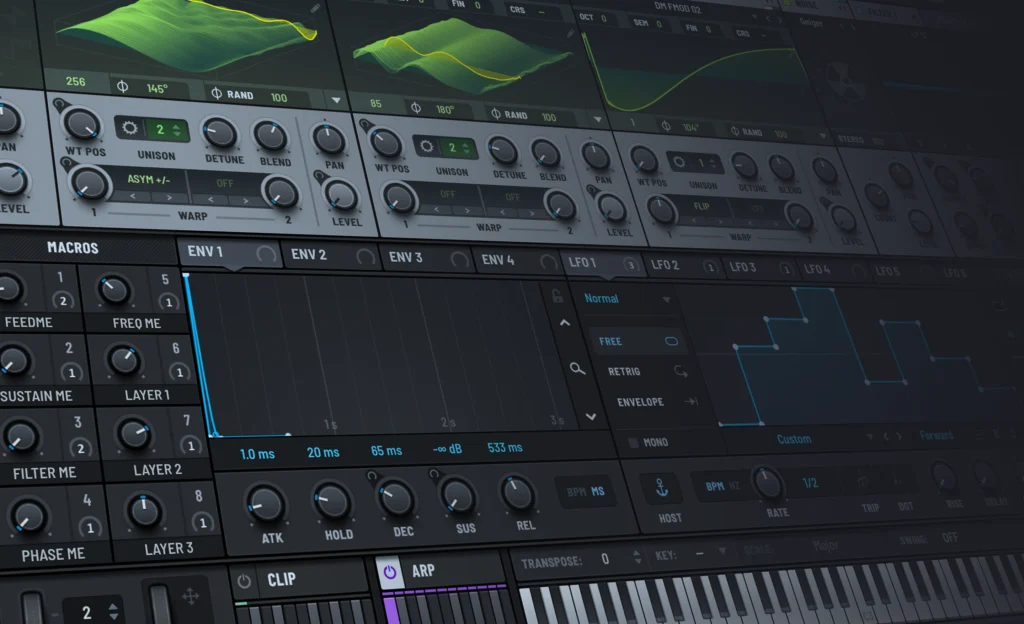
If you’re wondering what the Serum VST is and why it’s used by so many producers, you’re not alone. Serum is one of the most widely used VST plugins in music production, thanks to its powerful sound design tools and high-quality sound.
In this guide, we’ll break down what Serum is, what you can create with it, and how to start using it quickly. You’ll also get free Serum presets made by our sound design team to help you jump straight into making beats and sounds.
Why Is Serum So Popular With Music Producers?
It’s no secret that Serum is one of the most popular VSTs out there. It’s popular amongst several professional music producers and sound designers. From trap and hip hop producers to EDM and film composers.
But, what makes it so popular? What makes it a go-to plugin for so many creators?
Let’s break it down.
1. Sound Quality
Serum produces clean, modern sounds that sit well in mix. Whether you are creating heavy basses, smooth leads, wide pads, or subtle textures, the plugin delivers consistent results without sounding thin or harsh.
2. Massive Amount Of Presets & Tutorials Available
The Serum VST arguably has one of the largest ecosystems of content online. Thousands of presets, tutorials, and sound packs exist, making it easy to learn, experiment, and find inspiration. This combination of power, clarity, and accessibility is what makes Serum a go-to plugin for so many music producers.
3. Powerful Sound Design
As a beginner, Serum may look intimidating. However, once you go through a small learning curve it opens the door to so many possibilities. Serum allows you to easily design and shape sounds using waveforms and even samples. It provides parameters for pretty much everything. Instead of guessing what a parameter is doing, you can see changes happen in real time. This helps both beginners and experienced producers move faster and stay creative.
4. Light Weight
Installing Serum dose not eat up a massive amount of GB on your computer. It’s very small in size which is amazing for what it can do. This makes it an ideal VST to use especially if your a beginner working on a laptop or a computer with low storage.
What Can You Create With Serum?
Serum is an extremely versatile synth, which means you can use it to create a wide range of sounds across many genres. Producers often use Serum as their go-to plugin for both sound design and everyday beat-making.
One of the most common uses for Serum is creating bass sounds. From deep 808s and sub basses to aggressive growls and distorted basslines, Serum gives you full control over the low end. This makes it especially popular in trap, hip hop, EDM, and bass-heavy styles.
Serum is also widely used for leads and melodies. You can design bright, cutting leads, smooth analog-style plucks, or wide, emotional synth lines. With its modulation system and built-in effects, it’s easy to shape these sounds to fit your track.
In addition, many producers use Serum to create pads, textures, and sound effects. Whether you want lush background layers, evolving atmospheres, or risers and impacts, Serum makes it easy to build sounds that add depth and movement to your music.
Because of this flexibility, Serum can handle everything from simple preset-based sounds to complex custom designs, making it a powerful tool no matter what style of music you create.
Serum 2: What’s New in the Latest Version
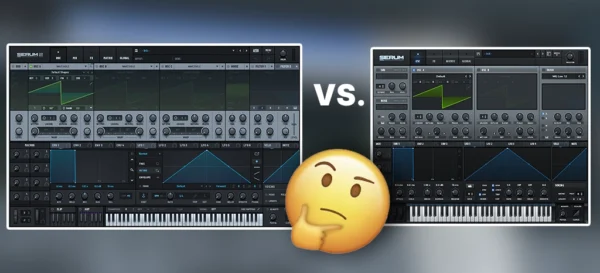
Serum 2 is the latest version of the Serum VST and builds on what made the original plugin so popular. While the core workflow remains familiar, Serum 2 adds new features that expand what producers can create without changing how the plugin feels to use.
One of the biggest improvements in Serum 2 is the expanded sound engine.
In addition to wavetable synthesis, Serum 2 introduces new synthesis options that allow for more complex and evolving sounds.
This makes it easier to design textures, atmospheres, and experimental tones without relying on multiple plugins.
Serum 2 also improves modulation and effects routing, giving producers more flexibility when shaping sounds.
These updates help speed up the creative process while keeping everything organized and easy to understand.
Importantly, Serum 2 remains compatible with older presets. This means you can continue using existing Serum presets while taking advantage of the new features, making the upgrade smooth for both new and experienced users.
How To Use Serum Presets in Your Beats
Using Serum presets is one of the fastest ways to start making music with the plugin.
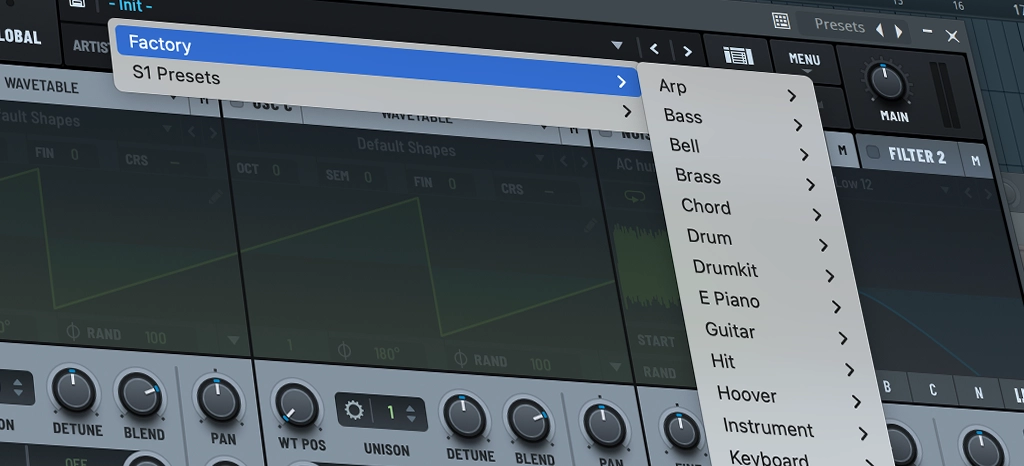
Once Serum is loaded in your DAW, you can browse presets directly inside the plugin and select a sound that fits your track.
After loading a preset, small adjustments can make a big difference. Tweaking macro controls, filter settings, or envelope shapes allows you to customize the sound without starting from scratch.
This helps your beats feel more original while still saving time.
Serum presets also work well when layered with other sounds.
You can combine a Serum bass with an 808, layer leads with pads, or stack textures to create fuller arrangements. This approach is common in modern trap, hip hop, and electronic production.
Whether you use presets as they are or tweak them to match your style, they provide a strong starting point that keeps you focused on creativity instead of technical setup.
Free Serum Presets
If you’re just about to get started with using Serum a great way to start is with a fresh batch of presets.
Below you can download our ‘Ballin’ free serum preset pack. It contains over 100 free serum presets designed for modern beat making especially Hip Hop & Trap.
Click Here To Start Instant Download
Conclusion, is Serum worth it?
For many producers, Serum is worth it because of how much control and flexibility it offers. It works well for both beginners who rely on presets and advanced users who want to design their own sounds from the ground up.
If you enjoy shaping sounds and learning how synths work, Serum is a strong long-term investment. Its clean sound, visual workflow, and large community make it easy to grow with over time.
However, if you prefer simple, ready-made sounds and do not plan to explore sound design, Serum may feel more complex than necessary. However, you can still grab some amazing ready-to-use presets for Serum and use it as a preset instrument.
